
Your listings on status, every day.
Save each listing once. Vitrinly turns it into an eye-catching status image or video and shares all of them in one tap — then reminds you when they expire.
No account. No tracking. Your listings stay on your phone.

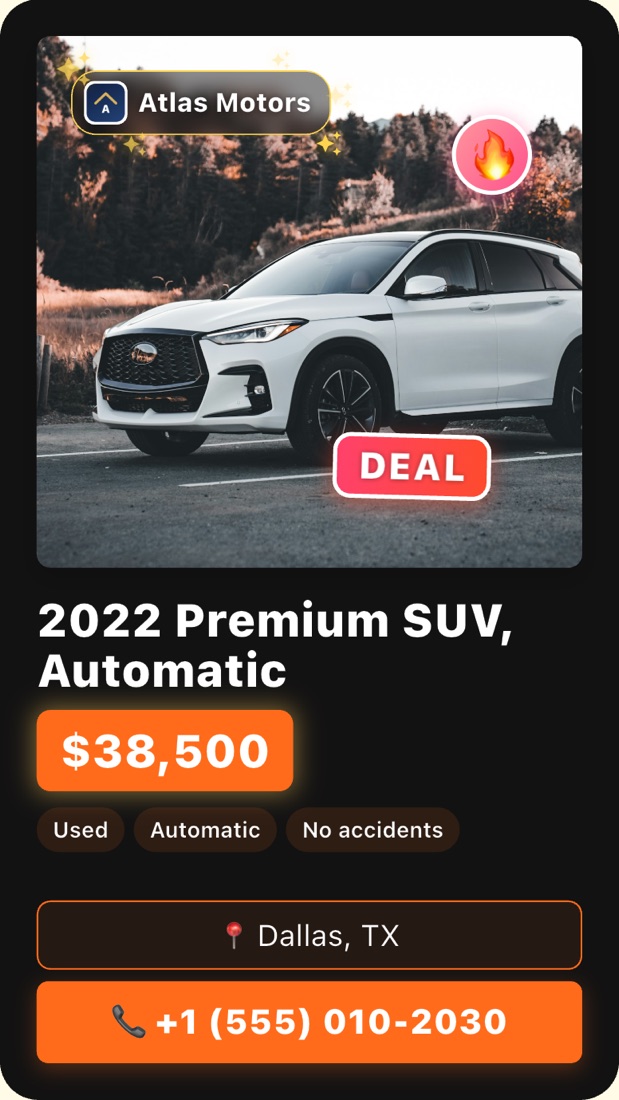
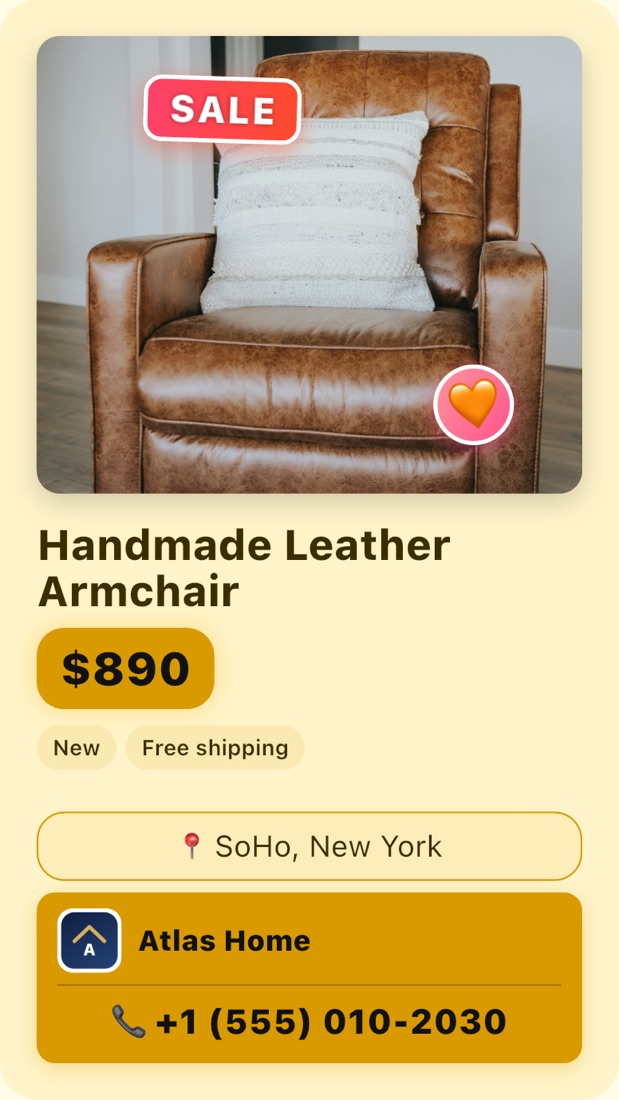
Everything a daily status needs
Statuses disappear after 24 hours. Vitrinly makes posting them again fast, consistent and good-looking.
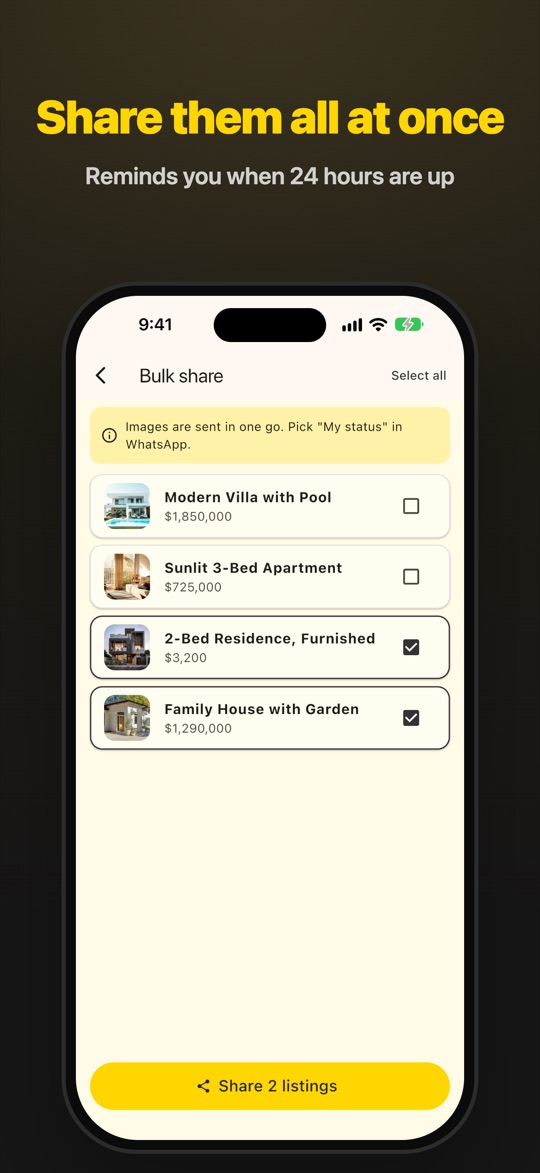
Share all in one tap
Select your listings and send every status image at once. Pick "My status" and you are done.
24-hour reminder
When your statuses expire, Vitrinly reminds you. Tap the notification and share again.
Animated status videos
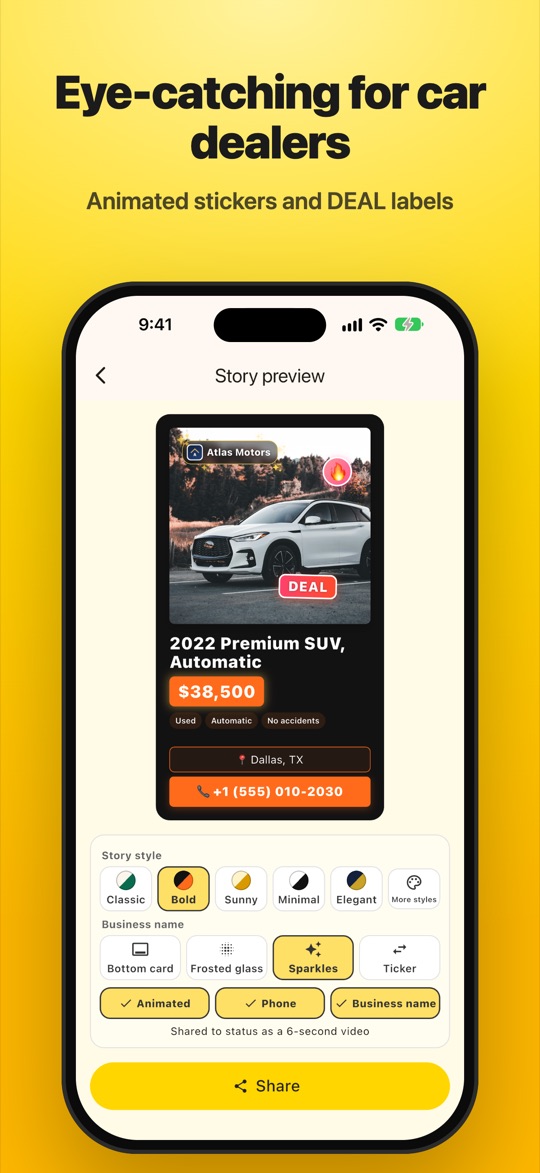
Bouncing stickers, "DEAL" labels and a 3-scene video: title and price, the footage, then your contact card.
Themes & your brand
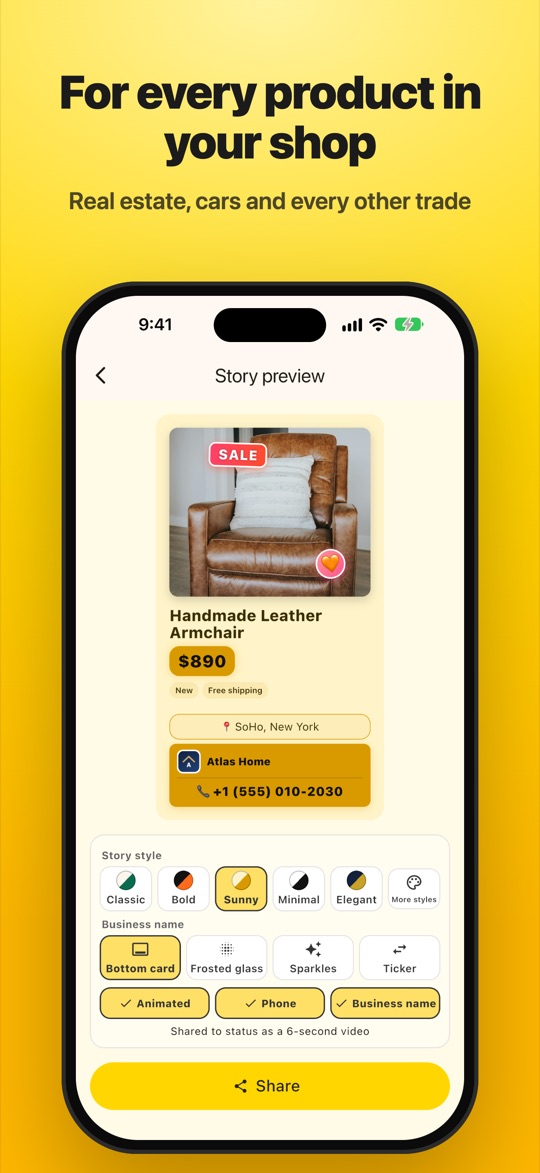
Five themes, your colours, your logo and business name — as a glass label, sparkles or a scrolling ticker.
Ready-made tags
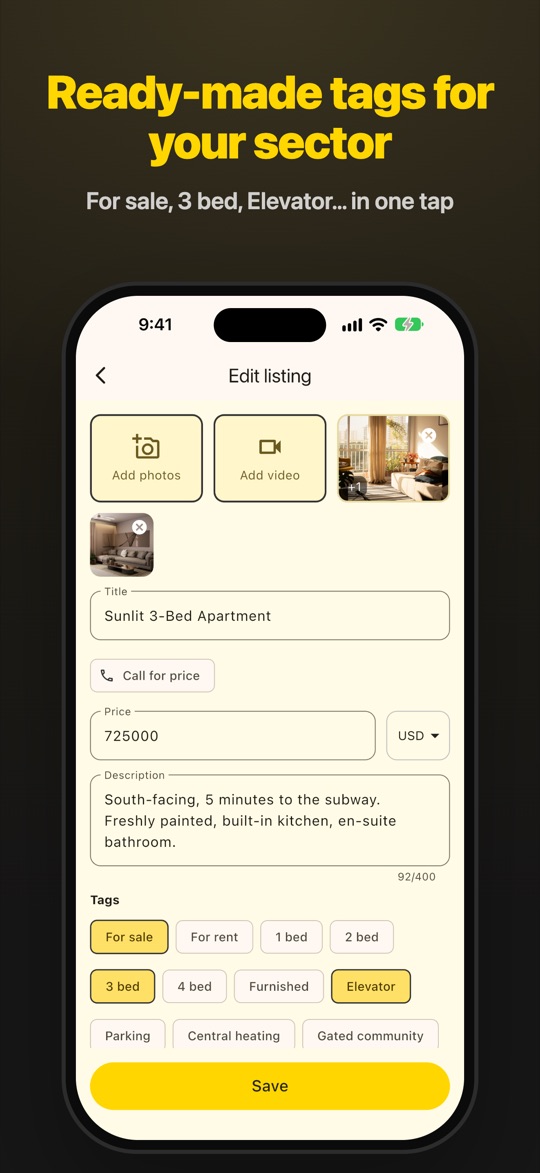
Choose your sector once and get quick tags like "3+1", "Furnished" or "Automatic" — no typing.
Private by design
No account, no ads, no tracking. Back up to your own Drive or iCloud whenever you like.
See it in action
Real-estate, car and shop listings shared as daily statuses.
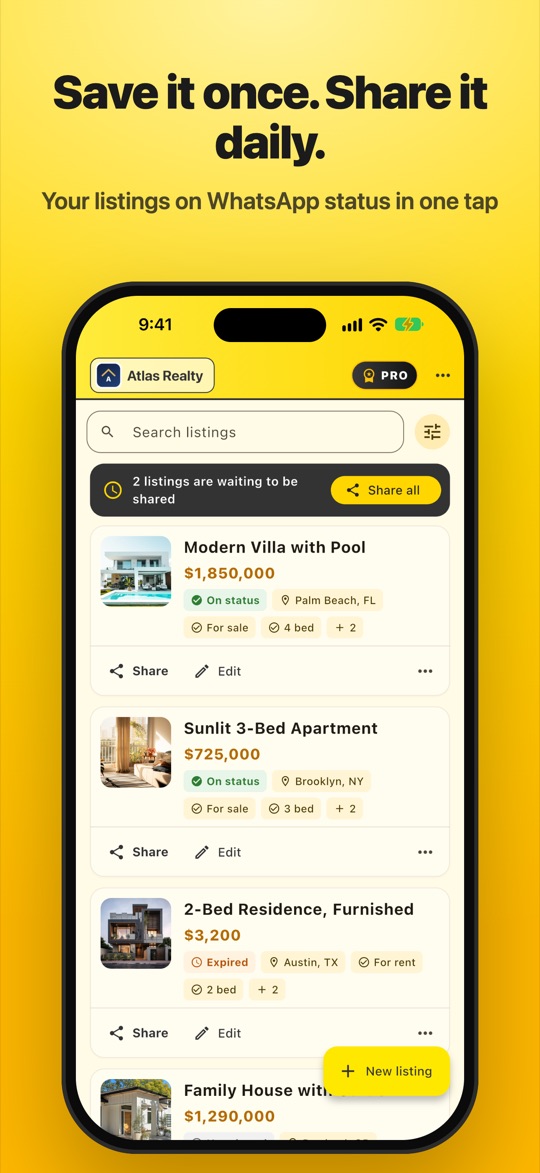
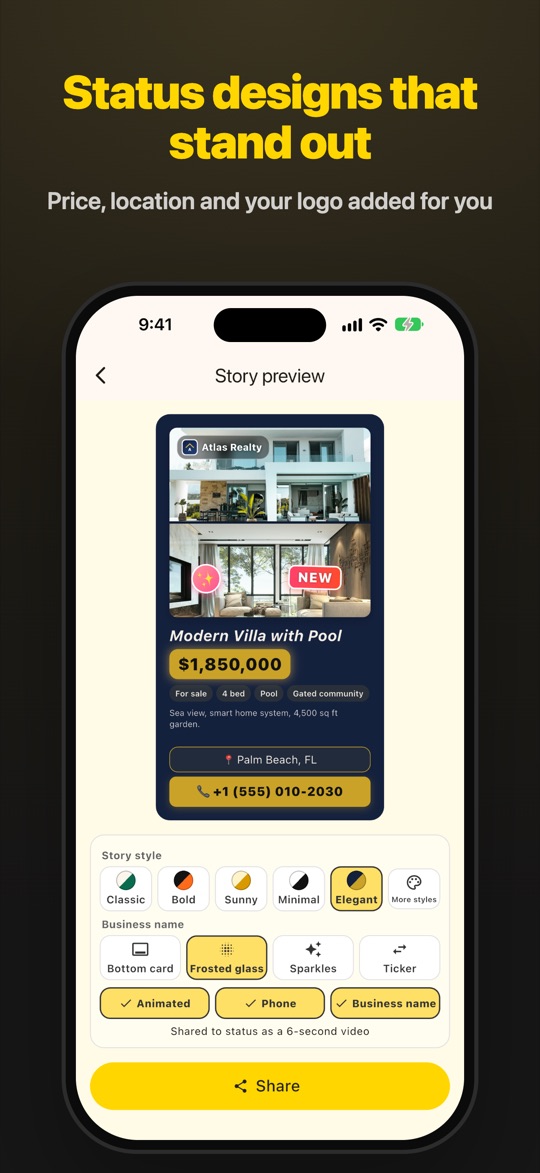
How it works
Three steps. The first one you only do once.
Add your listing
Photos or a video, price, tags and a short description.
Pick a look
Choose a theme, stickers and where your business name appears.
Share every day
"Share all" sends every listing to your status. Repeat when reminded.
Made for people who sell
Simple pricing
Start free. Upgrade when your portfolio grows.
Free
- All themes and stickers
- Share all & reminders
- Backup & restore
Pro
- Unlimited listings
- Monthly or yearly
- Billed by Google Play or the App Store
Questions
Does Vitrinly post to my status automatically?
No app is allowed to post to your status without you. Vitrinly prepares everything and opens the share sheet — you just pick "My status".
Where are my listings stored?
Only on your phone. Use "Back up" to save a copy to your own Drive, iCloud or Files, and restore it on a new phone.
How long can videos be?
Up to 60 seconds per status. For longer videos you choose which 60 seconds to share.
Which languages are supported?
English, Turkish, German, French, Spanish, Portuguese, Russian and Arabic.